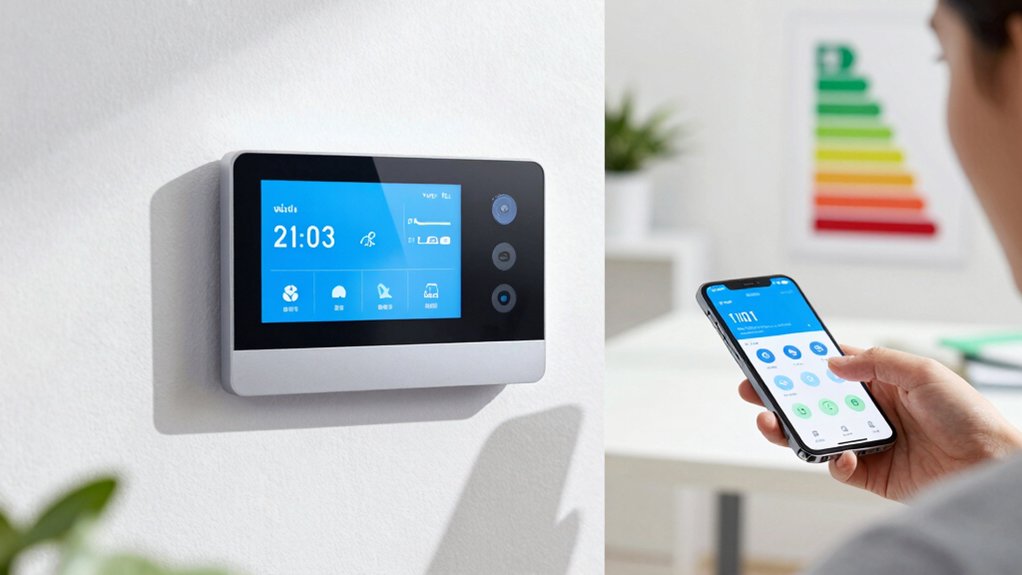
Set a data-driven baseline by mapping your week: identify home, awake, active, and away blocks, then log occupancy and comfort needs. Create a 7-day routine with consistent wake, work, and sleep times. Set target temps: ~74°F (23°C) when occupied, ~78°F (26°C) away; heating ~68°F (20°C) occupied, 60–62°F (15–17°C) absent. Use adaptive, learned modes, fans, and short holds to balance comfort and savings. If you keep going, you’ll *access* deeper optimization.
Set a Baseline: Map Your Week to Find Real Comfort Needs

To set a baseline, map your week by identifying when you’re home, awake, and active, versus away or asleep. You’ll establish a data-driven frame for comfort needs, enabling precise thermostat programming.
Begin with a steady log: note occupancy blocks, energy-use indicators, and ambient conditions. This is comfort mapping in action—transforming vague preferences into measurable patterns.
Next, perform routine analysis to confirm consistency across weekdays and weekends, recognizing deviations that affect heat or cooling demand.
Focus on three pillars: presence, activity level, and temperature responsiveness. Use the baseline to set default setpoints for typical periods, then flag anomalies that warrant adjustments.
The goal is a reproducible profile you can translate into efficient schedules, minimizing waste while preserving comfort during core hours.
Create a 7-Day Wake/Work/Sleep Routine
Establish a 7-day wake/work/sleep routine by anchoring core hours to your baseline comfort map: identify when you’re most likely home, awake, and active, then align thermostat schedules around those windows.
You’ll standardize morning warm-ups, midday resets, and evening cool-downs to support predictable energy use. Build a repeating 24-hour pattern that accommodates workdays and days off, using gradual shifts to avoid temperature shocks.
Track performance with energy monitoring to confirm that each change yields the expected savings. Use habit formation principles to lock in routines: cue a wake-up by a small temperature shift, implement a consistent workday setback, and reward adherence with verified efficiency gains.
Document deviations and adjust weekly, maintaining alignment with comfort map insights and overall system responsiveness.
Target Temperatures That Save Without Discomfort
Target temperatures should balance energy savings with comfort windows you won’t notice. You’ll set baselines that keep indoor humidity in check and air quality stable, minimizing swings that trigger HVAC cycling.
For cooling, aim around 74°F (23°C) in occupied daytime rooms and raise to about 78°F (26°C) when away. For heating, target roughly 68°F (20°C) when Home and drop to 60–62°F (15–17°C) during extended absences.
Maintain consistent offsets between occupied and unoccupied periods to prevent uncomfortable sudden changes. Emphasize humidity control by avoiding extreme dry or humid setpoints, which can affect perceived comfort and air quality.
Use gradual adjustments, not abrupt shifts, to preserve system efficiency. Your goal: steady, comfortable temperatures that maximize savings without noticeable drops in comfort.
Use Efficient Modes: Fans, Setbacks, and Holds
Using efficient modes on your thermostat—fans, setbacks, and holds—lets you maintain comfort while trimming energy use. You’ll optimize air cycling with fan modes to improve indoor air distribution without cycling equipment continuously.
Setback strategies rely on aligning temperature offsets with occupancy and solar gain, reducing runtime while preserving comfort when people are present.
Implement consistent, short-duration holds to stabilize settings during predictable schedules, then release to normal programs without large swings.
Use fans for three to five minutes after cooling or heating runs to improve efficiency, not as a constant substitute for proper temperature targets.
Avoid overusing setbacks on extreme swings; preserve a stable baseline to prevent fast reheats or cools.
Monitor results and adjust gradually for sustained savings.
Program Adaptive/Learned Thermostats for Ongoing Savings
Adaptive settings optimize over time by learning your occupancy and heating/cooling patterns. You’ll see improved efficiency as the thermostat tunes itself to your routines, prioritizing comfort with minimal manual adjustments.
This section covers adaptive settings optimization and learned device efficiency to sustain ongoing savings.
Adaptive Settings Optimization
Smart thermostats learn your patterns and adjust temps automatically, delivering ongoing energy savings without constant manual tweaks.
In adaptive settings optimization, you focus on refining learned responses to real-world conditions. You’ll configure how the thermostat translates occupancy signals, outdoor temperature trends, and routine changes into efficient setpoints.
Prioritize accurate sensor calibration so the device reflects actual room conditions, preventing overcooling or overheating.
Implement weather compensation to align heating and cooling outputs with outdoor climate shifts, preserving comfort while reducing energy use.
Use short, precise adjustment windows and progressive learning pauses to avoid abrupt swings.
Regularly review the system’s trend logs, confirming that learned schedules align with your current occupancy.
Maintain a principled balance between automation and manual overrides to sustain maximum savings.
Learned Device Efficiency
Learned Device Efficiency focuses on how adaptive thermostats translate learned patterns into steady, ongoing savings. You’ll see how the system uses device calibration to refine its decisions, minimizing temperature excursions while maximizing comfort.
By analyzing occupancy signals, historic energy use, and outdoor conditions, the thermostat builds a precise model of your home’s thermal behavior. This model informs setpoints, ramp rates, and setback timing, reducing unnecessary runtime of HVAC equipment.
You should monitor energy monitoring dashboards to verify improvements and detect drift early. When calibration data indicates shifts—due to renovations, new insulation, or weather changes—recalibrate thresholds promptly to preserve gains.
The goal is continuous optimization with minimal user intervention, maintaining efficiency as a living, data-driven process.
Maximize Savings With Zoning, Occupancy, and Remote Control
To maximize savings, use zoning, occupancy sensing, and remote control to tailor heating and cooling to actual needs.
Implement zoning strategies to separate high-usage areas from low-demand zones, reducing energy waste without sacrificing comfort.
Pair this with occupancy sensors to detect room use and adjust airflow, temperatures, and schedules accordingly.
Remote control enables rapid, on-the-fly adjustments when you’re away or awake without manual reprogramming.
Configure your system so zones follow distinct setpoints during different times of day, then merge into a setback/override routine for weekends or holidays.
Prioritize tight door and window sealing, ensuring sensors reflect true conditions.
Validate by monitoring runtime versus comfort; refine setpoints in incremental steps for stable, measurable savings.
Document changes, then repeat quarterly for sustained efficiency gains.
Common Mistakes to Avoid and Quick, Week-One Tweaks
After setting up zoning, occupancy sensing, and remote control, common mistakes can undermine those gains. You’ll tighten results by avoiding drift in temperature calibration and neglecting humidity control.
Don’t rely on the default schedule without validation; verify setpoints match your actual needs across rooms and seasons. Calibrate sensors to prevent heaters or coolers from overshooting targets, and recheck accuracy after changes in weather or furnishings.
Resist “too big a swing” approaches—small, consistent adjustments beat large, sporadic changes. Watch for linger HVAC cycles that waste runtime, and ensure fan settings don’t chase comfort at the expense of efficiency.
Finally, document tweaks and monitor weekly performance; quick tweaks should be purposeful, not exploratory, preserving the gains from your initial configuration.
Quick-Start Checklist: Implement These Changes This Week
Set up your Weekly Setup Checklist now to guarantee you cover the essentials without missing steps.
Use quick-tune adjustment tips to dial in comfort and efficiency, then log results for future reference.
This week’s actions keep your thermostat responsive and your energy use predictable.
Weekly Setup Checklist
If you’re implementing this week’s quick-start changes, start by confirming your thermostat’s model and current firmware, then stock up on any needed supplies or app updates.
This weekly setup checklist guides you through precise, repeatable steps to maximize efficiency. Begin with a quick energy audits review to identify draft sources or insulation gaps that affect heat transfer.
Next, verify schedule integrity, ensuring weekday and weekend profiles align with occupancy. Validate Thermostat calibration for accurate readings by checking sensor placement and room temperature offsets.
Update firmware if available and reconnect to the app, confirming cloud synchronization and data logging.
Document changes, monitor HVAC runtimes, and set a reminder for the next weekly review. Maintain a disciplined cadence to sustain consistent energy savings over time.
Quick-Tune Adjustment Tips
To dial in your thermostat efficiently this week, start with quick-tune adjustments that tighten control without overhauling profiles. Fine-tune temperature calibration by small, staged changes—0.5 to 1 degree at a time—and observe resulting shifts in comfort and energy use.
Target consistent setpoints during occupied periods, and verify that minimum and maximum thresholds stay within your comfort band. Improve humidity control by ensuring the humidity sensor remains accurate and the ventilation schedule aligns with indoor moisture loads.
Enable adaptive recovery only if supported, testing wake and return times for predictable indoor conditions. Document each tweak, noting external factors like weather and occupancy. Avoid overcorrecting; iterative refinements yield stable savings without destabilizing routines or comfort.
Prioritize reproducible, measurable results over guesswork.
Frequently Asked Questions
How Often Should I Adjust the Thermostat After Setup?
You should adjust it seasonally and as needed, typically after setup and whenever your daily routines change. Seasonal adjustments capture thermostat shifts, while daily routines guide minor tweaks to maintain comfort and efficiency.
Can I Use a Smart Thermostat Without Internet Access?
Yes, you can use a smart thermostat without internet access; it operates locally. You’ll rely on manual override and remote control locally via keypad or pairing, but certain features may require internet for cloud updates and remote access.
Do Weather Changes Require Reprogramming the Schedule?
Seasonal adjustments matter: you don’t always reprogram with every shift; if you have a smart schedule, you’ll auto-honor thresholds. You should monitor for unexpected weather and tweak events only when forecasts markedly diverge from normal.
Is a Small Temperature Swing Beneficial for Savings?
Yes, a small temperature swing can help. You’ll balance temperature fluctuation with comfort vs. savings, reducing runtime without noticeable discomfort. Stay within 1–2 degrees, avoid excessive swings, and monitor your system’s response for ideal efficiency.
How Do I Measure Actual Savings From Changes?
You can measure actual savings by comparing energy audits and utility bills before and after changes, using consistent periods. Track baseline energy use, then quantify reductions; report results with an energy audit note and revised utility bills for credibility.
Conclusion
You’re not just dialing a dial; you’re sculpting comfort with data. Like Daedalus in the labyrinth, you map every hour, every room, every season, trimming waste and guiding heat to where it matters. Your baseline becomes a compass, not a guess. Trust adaptive settings, zone control, and occupancy signals to fine-tune savings. When you tweak Week One, you’re proof that small, precise decisions can outsmart energy drift—turning systems into intelligent, efficient allies.