You stand before a digital façade that shifts with sunlight, revealing structure, material, and movement in real time. 3D architectural modeling serves as your early feasibility lens, guiding decisions, validating concepts, and driving collaborative reviews across teams. It integrates BIM data for precise documentation and clash detection, while supporting iterative design. The question becomes how to tailor workflows for your project type and optimize costs, accuracy, and delivery—a balance worth exploring as you consider next steps.
What 3D Modeling Delivers for Architectural Design

3D modeling delivers precise visualizations, accurate geometry, and integrated data that streamline architectural design. You assess concept feasibility quickly, align stakeholders, and validate spatial relationships before ground-breaking.
You leverage parametric controls to explore multiple configurations, confirming clear material implications and constructability. The technology offers Historical context insights, framing design decisions within evolving standards and regulatory expectations, while capturing site conditions and client requirements with fidelity.
You benefit from Technological advancements that enable adaptive workflows, clash detection, and automated documentation, reducing rework and accelerating approvals. You integrate structural and MEP data to prevent coordination issues, improving safety envelopes and performance simulation.
You communicate design intent with precision, guiding contractors and fabricators, and maintaining traceability from model to built asset. This disciplined approach elevates quality, schedule reliability, and project outcomes.
Essential Deliverables From Architectural 3D Modeling
You’ll review the essential deliverables from architectural 3D modeling, starting with detailed model outputs that capture geometry, materials, and metadata with precision.
We also provide visualization formats delivered in standard formats for review, collaboration, and integration into downstream workflows.
This concise set of outputs guarantees clear communication of design intent and reliable handoffs to stakeholders and fabrication teams.
Detailed Model Outputs
1) Parametric models with explicit metadata
2) BIM-compliant families and components
3) Construction-level drawings and schedules
4) Summary reports for coordination and cost benchmarking
These outputs enable rapid validation, clash detection, and change management, reducing risk across teams. You should prioritize data integrity, version control, and accessible documentation to facilitate reviews and approvals.
Visualization Formats Delivered
Deliverables emphasize production-ready visuals, data-rich drawings, and reference media suitable for permitting, procurement, and on-site execution. You’ll include color palettes to convey lighting, mood, and material relationships, and material textures to illustrate surface qualities and finish details.
Formats typically encompass high-resolution rendered views, orthographic and sectional drawings, exploded axonolutions, and BIM-compliant models with associated metadata. You’ll prioritize file organization, version control, and accessibility across disciplines, enabling efficient coordination.
The result is concise, actionable, and unambiguous, supporting accurate fabrication, accurate cost management, and informed decision-making throughout the project lifecycle.
How to Choose a 3D Modeling Workflow for Your Project
Selecting the right 3D modeling workflow hinges on aligning project goals, deliverables, and timeline with suitable software pipelines and collaboration practices. You’ll balance workflow flexibility and software compatibility to minimize rework and maximize efficiency.
Aligning stakeholders early clarifies output formats, level of detail, and review cadence, enabling a repeatable process across disciplines.
Consider these steps to choose effectively:
1) Define required outputs, file formats, and interoperability with BIM and construction workflows.
2) Assess team proficiency and preferred tools to reduce training time and errors.
3) Evaluate cloud vs. on‑premises collaboration, version control, and data security.
4) Test a pilot on a representative model to verify compatibility and throughput before full adoption.
This disciplined approach yields consistent results and smoother handoffs throughout the project lifecycle.
Early Design Modeling: From Concept to Visuals
Early design modeling captures the project’s vision by translating concepts into shareable visuals that guide decisions and align stakeholders. In this phase, you translate rough ideas into tangible representations, enabling quick assessment of scale, proportion, and programmatic intent.
You establish a baseline geometry, enabling early feedback on massing and spatial relationships before detailed documentation begins. Focus on precision rather than decoration; this supports disciplined evaluation of feasibility and cost implications.
Material textures and lighting effects are introduced to convey tactile quality and ambiance, helping stakeholders imagine use, lighting strategies, and material behavior under varying conditions. Iteration occurs rapidly, with revisions informed by user flows, circulation, and environmental performance.
How 3D Models Boost Collaboration and Approvals
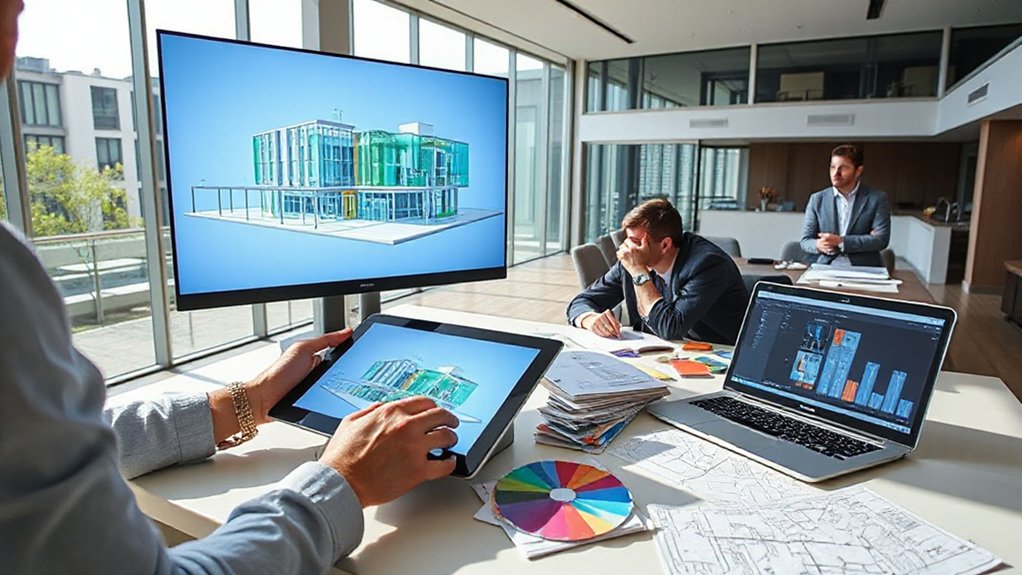
Real-time visualization wins by letting you explore design options instantaneously, reducing back-and-forth and speeding decisions.
You’ll gain early design clarifications as models reveal precisely where intent diverges from expectations.
This approach promotes streamlined stakeholder alignment, ensuring approvals proceed with clear, shared understanding.
Real-Time Visualization Wins
Real-time visualization accelerates decision-making by enabling stakeholders to explore evolving designs as they occur, reducing back-and-forth and aligning expectations early in the approval cycle. You harness interactive walkthroughs, synchronized models, and live markups to streamline approvals and minimize change orders.
This approach supports Sustainable Design by letting teams assess material choices, daylighting, and energy strategies on a shared canvas, iterating toward optimized performance. It also safeguards Historical Preservation goals by accurately representing heritage elements within context, enabling compliant decisions.
- Accelerated approvals through immersive reviews
- Real-time feedback loops with precise markup
- Concurrent multidisciplinary collaboration
- Objective alignment on design intent and regulatory criteria
Early Design Clarifications
When design teams begin in earnest, 3D models clarify intent and align stakeholders before development proceeds. In this phase, you leverage early design clarity to resolve scope questions, refine performance criteria, and set measurable milestones.
You’ll articulate material choices and system relationships with precision, reducing ambiguity across disciplines. The model acts as a common reference, enabling you to test conceptual schemes against budget, code, and site constraints.
By visualizing construction sequencing early, you identify bottlenecks and sequence conflicts before procurement, minimizing rework. Emphasize material innovation as a design driver, ensuring finish, durability, and manufacturability are evaluated in context.
This proactive collaboration accelerates approvals, supports informed trade-offs, and establishes a credible baseline for subsequent development stages.
Streamlined Stakeholder Alignment
3D models align stakeholders quickly by providing a single, manipulable reference that everyone can interrogate. You’ll see faster approvals when teams review a unified geometry, materials, and lighting in real time, reducing misinterpretations and rework. This enhances Stakeholder engagement by aligning objectives early and maintaining traceable decision paths.
Clear Communication strategies emerge through annotated viewpoints, versioning, and auditable change logs, enabling decisive governance without prolonged debates. By centralizing feedback, you decrease culture clash and accelerate buy-in across disciplines. The model becomes the common language, supporting contractual clarity and accountability.
- Centralized feedback loops
- Version-controlled annotations
- Real-time clash and constructability checks
- Transparent decision history and sign-offs
Modeling for Materials, Lighting, and Realism in 3D
Mastering materials, lighting, and realism in 3D modeling requires a disciplined approach to translate physical properties into digital behavior. You establish material textures by tuning roughness, specular, and normal maps to reflect real surfaces, from concrete to glass.
You calibrate translucency for subsurface scattering in organics and adjust anisotropy for brushed metals, ensuring consistency across scenes. For lighting, you simulate natural and artificial sources with correct color temperature, intensity, and falloff, validating shadows and highlights under varied angles.
You evaluate reflections and refractions, balancing global illumination with render times to preserve fidelity. Maintain tight control over exposure, white balance, and post-processing to avoid overprocessing.
Material textures and lighting effects converge to deliver convincing, industry-grade realism in architectural visualizations.
Integrating BIM Data Into Architectural 3D Models
- Align geometry with BIM schemas to maintain consistency across disciplines.
- Synchronize schedules and costs with model progress for real-time insight.
- Integrate metadata to preserve provenance and compliance data throughout development.
- Establish robust data governance to support model data synchronization and traceability.
Common Modeling Pitfalls and How to Avoid Them
Despite the complexity of architectural modeling, common pitfalls can undermine accuracy and efficiency if left unchecked. You should anticipate data gaps, inconsistent units, and improperly scaled elements that propagate errors through the workflow. Misinterpreting project specifications leads to extraneous geometry and unnecessary revisions, wasting time and resources.
Maintain a verifiable modeling protocol: establish a single source of truth, enforce naming conventions, and validate input data before modeling begins. Regularly check topology, avoid overcomplicated meshes, and prune redundant components to preserve performance.
Pay attention to scale accuracy during import/export cycles, and align material definitions with project standards to prevent rendering discrepancies. Guarantee Software compatibility by confirming CAD and BIM interoperability, and documenting version control for models and textures to minimize downstream issues.
Use Cases: Residential, Commercial, and Public Projects
What distinguishes 3D architectural modeling across residential, commercial, and public projects is how functional requirements, regulatory constraints, and delivery timelines shape modeling workflows.
You apply scalable workflows tailored to each sector, ensuring accuracy while aligning with project goals. The use cases span:
1) Residential design optimization for comfort and energy efficiency.
2) Commercial layouts prioritizing circulation, storefronts, and asset optimization.
3) Public facilities emphasizing safety, accessibility, and long-term maintenance.
Key considerations include Sustainable design integration and Material simulation to forecast performance under real conditions and across lifecycles.
You leverage parametric models to adapt to evolving briefs and permit reviews, maintaining traceability and collaboration across disciplines. This approach delivers repeatable results, faster approvals, and clearer stakeholder communication.
Evaluating Performance, Accuracy, and Cost in 3D Modeling
You’ll compare performance metrics with accuracy outcomes to understand how modeling choices impact results.
You’ll assess cost implications alongside precision to identify scalable solutions that meet project constraints.
You’ll frame tradeoffs clearly, guiding informed decisions on technique, tooling, and process efficiency.
Performance Metrics Overview
How do you effectively evaluate 3D architectural modeling performance, accuracy, and cost? You measure outcomes against defined benchmarks, ensuring consistency across projects. Focused metrics enable objective comparisons and actionable improvements.
- Performance efficiency: track time-to-deliver, scene complexity handling, and render throughput.
- Modeling accuracy: assess geometric fidelity, alignment with architectural plans, and fault rates during integration.
- Cost effectiveness: monitor labor hours, overhead allocation, and tooling expenses per project.
- Sustainability and engagement: evaluate environmental sustainability considerations in workflows and client engagement outcomes throughout the process.
Cost and Accuracy Tradeoffs
As projects move from performance metrics to the practical balance of cost and accuracy, you must prioritize how modeling choices affect both deliverable quality and budget. In this scenario, cost implications arise from resolution, level of detail, and required deliverables.
Precision targets drive data acquisition protocols, modeling workflows, and validation steps, influencing time-to-delivery and rework risk. You should assess accuracy considerations alongside scope, enabling tradeoffs that protect schedule without compromising essential fidelity.
Favor scalable methods, such as modular modeling and parametric components, to optimize calibration, texture mapping, and LOD thresholds. Document assumptions, measurement tolerances, and acceptance criteria to prevent misalignment with client expectations.
Finally, establish milestone reviews to verify alignment between performance goals, cost constraints, and final constructability functionality.
Frequently Asked Questions
How Long Does a Typical Architectural 3D Modeling Project Take?
A typical architectural 3D modeling project takes anywhere from one to four weeks, depending on complexity and deliverables. You’ll see rapid progress during concept visualization, with iterations refining design visualization and lighting.
As you specify material textures and finishes, timelines adjust to asset creation and texture mapping. You should expect structured milestones, review checkpoints, and client approvals to keep the project on track.
Your final renders, animations, and documentation conclude once all stakeholders confirm accuracy and quality.
What Software Best Suits Interdisciplinary BIM Workflows?
BIM-specific workflows benefit from a unified platform; Revit, ArchiCAD, and Bentley provide strong BIM collaboration capabilities and robust software integration.
For interdisciplinary teams, choose tools that support IFC, IFC-based linking, and cross-discipline schedules. You’ll want seamless data exchange, open APIs, and scalable collaboration environments.
This guarantees BIM collaboration remains efficient across disciplines, reducing rework.
In practice, you’ll optimize workflows through compatible plug-ins and middleware, preserving data fidelity and achieving synchronized project delivery.
Can 3D Models Be Updated After Approvals Without Rework?
Yes, you can update 3D models after approvals without rework, leveraging live data and cloud collaboration. Real-time updates propagate across disciplines, preserving model integrity while reflecting required changes.
You’ll maintain approval flexibility by isolating edits, tracing change history, and revalidating selectively. This approach minimizes back-and-forth, accelerates decision-making, and guarantees stakeholders see current conditions.
You’ll adhere to standards, avoid clashes, and sustain a coordinated BIM workflow throughout design and construction.
How Secure Is Client Data During the Modeling Process?
Data security during the modeling process is strong and maintained through data encryption and strict access control. You should expect end-to-end encryption in transit and at rest, plus multi-factor authentication for all team members.
Access control guarantees role-based permissions, minimizing exposure of sensitive files. Regular security assessments, encrypted backups, and audit trails further protect your data.
You’re advised to confirm vendor encryption standards, incident response plans, and compliance with industry-specific privacy regulations before collaboration.
What Are Common Licensing Differences for 3D Modeling Assets?
Common licensing differences for 3D modeling assets revolve around license types and how you may use the work. You’ll encounter per-seat, per-project, and royalty-free options, plus restrictions on redistribution, modification, and commercial use.
Intellectual property rights vary: some licenses vest full IP to you, others keep underlying ownership with the creator. You should verify attribution requirements, scope, duration, and waivers before procurement to avoid unintended infringements.
Consider standardizing license terms across projects for consistency.
Conclusion
You’ll harness a panoramic view of every project phase, where 3D modeling acts as a precise compass guiding decisions. It translates intent into tangible form, catches clashes before they happen, and weaves BIM data into a coherent narrative. As you refine scope and climate, your workflow becomes nimble as a whisper, yet bold as a blueprint. In short, it’s the bridge between vision and delivery—accurate, collaborative, and relentlessly efficient.